
Video is an electronic medium for recording, storing, and reproducing moving images that has revolutionised how we create, share, and consume content. Whether you’re looking to create videos for social media, business marketing, or personal projects, understanding video technology and creation methods is essential in today’s digital world.
Video fundamentally works by capturing a series of still images at rapid intervals—typically 24, 30, or 60 frames per second—and displaying them in quick succession to create the illusion of continuous motion. Modern video creation has expanded beyond traditional recording to include AI-powered tools that can generate videos from simple text prompts.
What this guide covers
This comprehensive guide covers traditional video recording techniques using smartphones and basic equipment, AI video generator tools that create videos without filming, extensive video format types and their applications, and optimization strategies for web and mobile platforms. What this guide does NOT cover: professional cinematography techniques, advanced video editing software mastery, or complex broadcasting setups.
Who this is for
This guide is designed for complete beginners with no video creation experience, small business owners needing video content for marketing, content creators starting their video journey, and students learning multimedia basics. Whether you want to create videos using traditional recording methods or explore AI-generated content, you’ll find practical guidance for getting started.
Why this matters
Video content drives 82% of internet traffic in 2024, making it the dominant form of digital media consumption. Social media platforms like YouTube, Facebook, and TikTok prioritize video content in their algorithms, significantly increasing engagement rates. AI tools have democratized video creation, enabling anyone to generate professional-looking videos without expensive equipment or technical expertise.
What you’ll learn
- Fundamental video technology concepts including frame rate, resolution, and aspect ratio
- How to record quality videos with basic equipment like your phone
- AI video generation using tools that create videos from text prompts
- Choosing optimal video formats for different platforms and devices
Understanding video technology fundamentals
Video is a sequence of electronic images displayed at specific frame rates to create the perception of motion. This fundamental concept underlies all video creation, whether using traditional recording equipment or AI video generator tools.
The magic of video lies in persistence of vision—a phenomenon where our eyes retain images for brief moments, allowing rapid succession of still frames to appear as smooth motion. Each frame contains spatial information about color, brightness, and detail that can be stored and transmitted in various formats depending on your creation method and intended platform.
Frame rates and resolution
Frame rate determines how many individual images display per second, measured in frames per second (fps). Common frame rates include 24fps for a cinematic look, 30fps for standard video content, and 60fps for smooth motion in gaming or sports content. When you create videos or use an AI video generator, frame rate affects both the viewing experience and file size.
Resolution defines image quality through pixel dimensions. Standard formats include 720p HD (1280x720 pixels), 1080p Full HD (1920x1080 pixels), and 4K Ultra HD (3840x2160 pixels). Higher resolution means better quality but larger file sizes, which impacts upload times and device playback capabilities.
Color and audio components
Color depth, measured in bits, determines the range of colors your video can display. Most consumer video uses 8-bit color (16.7 million colors), while professional content may use 10-bit or 12-bit for enhanced quality. Audio synchronization ensures sound effects, music, and dialogue align perfectly with visuals.
Understanding these components helps you make informed decisions when you edit videos, adjust video speed, or customize settings in video editing apps and AI platforms.
Transition: Now that you understand basic video concepts, let’s explore the extensive range of video format types and their specific applications.
Comprehensive video format types and applications
Video formats encompass both container formats (which hold video and audio data) and codecs (which compress and decompress the data). Understanding format types helps you choose the best options for your content creation needs, whether using traditional recording or AI-generated videos.
Popular video container formats
MP4 stands as the most versatile format, supported by virtually all platforms including YouTube, Facebook, and mobile devices. This format accepts various codecs and provides excellent compression while maintaining quality, making it ideal when you create videos for multiple platforms.
AVI (Audio Video Interleave) represents a Windows-native format that produces larger file sizes but maintains excellent quality. While less common for web content, AVI works well for high-quality source material during video editing before converting to more web-friendly formats.
MOV serves as Apple’s QuickTime format, ideal for Mac-based workflows and professional video editing. Many video creators working on Apple devices prefer MOV for its seamless integration with macOS and iOS video editing apps.
WMV (Windows Media Video) offers Microsoft’s video format with good compression for Windows systems. While primarily used in Windows environments, WMV has limited support on other platforms and devices.
MKV (Matroska Video) provides an open-source format supporting multiple audio tracks and subtitles in a single file. This format works well for content with multiple language options or when you need to include various other elements like chapters or metadata.
WebM represents Google’s web-optimized format designed specifically for HTML5 video streaming. When creating content for websites, WebM offers excellent compression and fast loading times, though support varies across different browsers and devices.
Professional and specialized formats
H.264 serves as the compression standard widely used for streaming and broadcasting. Most AI video generators and video editing platforms export in H.264 due to its excellent balance of quality and file size, making it perfect for platforms like YouTube and social media.
H.265 (HEVC) provides advanced compression for 4K video with significantly smaller file sizes compared to H.264. While newer devices support H.265, compatibility remains limited, requiring careful consideration of your target audience’s devices.
ProRes represents Apple’s professional codec for high-quality video editing, commonly used in professional workflows but requiring significant storage space. DNxHD offers Avid’s professional intermediate codec for broadcast quality content.
AVCHD serves as a high-definition format from camcorders, while specialized codecs like VP9 and AV1 provide cutting-edge compression for streaming platforms.
Key Points
- MP4 with H.264 offers the best balance of quality and compatibility for beginners
- Professional formats like ProRes require more storage but provide superior editing quality
- Newer compression standards save space but may have limited device support
Transition: Understanding format basics prepares you for practical video creation, whether through traditional recording or modern AI generation methods.
Recording and creating traditional video content
Traditional video creation involves using cameras, smartphones, or webcams to capture real-world footage. This method provides authentic content with full creative control over lighting, audio, and visual elements, making it ideal for personal vlogs, business presentations, or educational content.
Step-by-step: Basic video recording setup
When to use this: Creating authentic content where you control all visual and audio elements, including interviews, tutorials, or product demonstrations.
- Choose your recording device: Start with your phone’s camera app, which offers excellent quality and convenience. Most smartphones record in MP4 format with H.264 compression, providing great results for beginners.
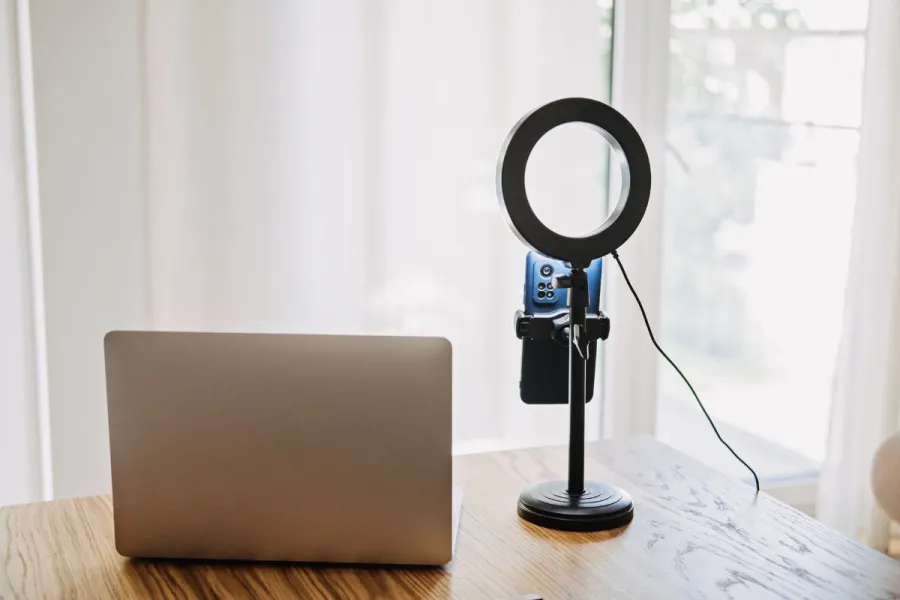
- Set up adequate lighting: Position yourself facing natural light from a window, or use basic LED panels at 45-degree angles to eliminate shadows. Good lighting dramatically improves video quality regardless of your device.
- Configure audio recording: Use external microphones when possible, or ensure your device’s built-in microphone is unobstructed. Test audio levels before recording to avoid issues that are difficult to fix during video editing.
- Frame your shot: Apply the rule of thirds by positioning key elements along imaginary grid lines. Maintain appropriate aspect ratio for your intended platform—16:9 for YouTube, 1:1 for Instagram feed posts, or 9:16 for TikTok and Instagram Stories.
- Test recording settings: Record a short test clip to verify video quality, audio levels, and stability. Check that your frame rate matches platform requirements and adjust video speed settings if needed.
Recording best practices for beginners
Audio quality often matters more than visual perfection when you create videos. Record in quiet environments, use windscreens outdoors, and add music or sound effects during post-production rather than relying on ambient audio.
Composition techniques include maintaining eye-level framing for natural viewing, leaving appropriate headroom in shots, and using stable positioning to avoid shaky footage that distracts viewers. Consider using tripods, gimbals, or stable surfaces to enhance professionalism.
When you edit videos later, high-quality source material makes the process significantly easier. Capture more footage than you think you need, including multiple takes of important segments to ensure you have options during editing.
Transition: While traditional recording offers authenticity and control, AI video generation provides entirely new possibilities for content creation without filming requirements.
AI-powered video generation
AI video generator tools have revolutionized content creation by enabling anyone to generate videos from text prompts without traditional filming equipment. These platforms use machine learning to create realistic scenes, characters, and animations based on written descriptions.
Popular AI video creation tools
Invideo AI supports users in 190 countries and generates videos from text prompts with realistic voices in 50+ languages. This platform excels at creating marketing content, educational videos, and social media clips with professional-quality output and templates.
Canva’s AI video feature leverages Google’s Veo-3 technology to produce 8-second cinematic videos from simple descriptions. The platform integrates seamlessly with Canva’s design tools, making it easy to enhance videos with graphics, transitions, and other elements.
Adobe Express offers a free platform with drag-and-drop editing and AI-assisted templates. Users can create videos by combining AI-generated clips with photos, music, and text overlays for comprehensive content creation.
Synthesia specializes in AI avatar creation for talking head videos in multiple languages. This tool works particularly well for educational content, corporate communications, and presentations where you need realistic human presenters.
Step-by-step: Creating AI videos with text prompts
When to use this: Need quick video content without filming, lack recording equipment, or want to create conceptual visuals that would be difficult to film practically.
- Choose AI platform: Select tools based on your specific needs—Invideo AI for marketing content, Canva for social media clips, or Synthesia for presentation videos. Many platforms offer free tiers for testing.
- Write detailed text prompts: Include specific details about style, mood, setting, and visual elements. For example: “Create a professional business video showing diverse team members collaborating in a modern office environment with natural lighting.”
- Select video duration: Most AI video generators create clips ranging from 6-30 seconds. Plan to combine multiple clips if you need longer content, or use generated clips as elements within larger video editing projects.
- Generate and review: AI tools typically produce results in minutes. Review the output quality, checking that visuals match your prompt and meet your content requirements.
- Customize with additional elements: Add music, sound effects, text overlays, and transitions using the platform’s editing tools or export clips for use in dedicated video editing software.
- Export in optimal format: Download in MP4 format with appropriate resolution and frame rate for your target platform. Most AI generators automatically optimize for common social media requirements.
Transition: Regardless of creation method, optimizing your videos for specific platforms ensures maximum reach and engagement across different devices and channels.
Optimizing videos for web and mobile platforms
Platform-specific optimization ensures your content displays correctly and loads efficiently across different devices and connection speeds. Each platform has unique requirements for format, resolution, aspect ratio, and file size that directly impact viewer experience.
Best format recommendations by platform
YouTube accepts MP4 files with H.264 codec, supporting up to 4K resolution at various frame rates. Optimal settings include 1080p at 30fps for standard content, with maximum file size of 128GB and duration up to 12 hours for verified accounts.
Instagram requires MP4 or MOV format with specific aspect ratios: 1080x1080 for feed posts, 1080x1920 for Stories and Reels. Video editing for Instagram should prioritize vertical formats and include captions since many users watch without audio.
TikTok exclusively uses vertical format (1080x1920) in MP4, with content ranging from 15 seconds to 10 minutes. The platform’s algorithm favors videos that utilize trending music and sound effects effectively.
Facebook supports MP4 with AAC audio, minimum resolution of 1280x720, and automatic playback in newsfeeds. Video content performs better when optimized for silent viewing with text overlays or subtitles.
X / Twitter accepts MP4 or MOV files up to 512MB and 2 minutes 20 seconds duration. The platform automatically compresses uploads, so higher quality source material produces better results.
Web vs mobile optimization comparison
Feature | Web Optimization | Mobile Optimization |
|---|---|---|
Resolution | 1080p or higher preferred | 720p-1080p optimal |
File Size | Larger files acceptable | Smaller files for data conservation |
Aspect Ratio | 16:9 landscape standard | 9:16 vertical preferred |
Bitrate | 5-10 Mbps for quality | 2-5 Mbps for efficiency |
Loading Speed | Moderate priority | Critical for user retention |
Web optimization allows higher bitrates and larger file sizes since desktop users typically have stronger internet connections and larger screens. Mobile optimization prioritizes data efficiency and vertical formats that match natural phone usage patterns.
Compression settings should balance quality with loading speed based on your primary audience. Use adaptive bitrate streaming for platforms that support it, automatically adjusting quality based on viewer connection speed.
Transition: Even with proper optimization, beginners often encounter specific challenges that can impact their video creation success.
Common challenges and solutions
Beginning video creators frequently face technical hurdles that can frustrate the creative process. Understanding common problems and their solutions helps you create videos more efficiently and avoid time-consuming mistakes.
Challenge 1: Large file sizes and slow upload times
Solution: Use H.264 codec with appropriate bitrate settings (5-10 Mbps for 1080p content) to balance quality and file size. Compress videos using tools like HandBrake or online compressors before uploading to platforms.
Consider recording in lower resolution initially, or adjust video speed during editing to reduce total content duration. Many video editing apps offer export presets optimized for specific platforms that automatically handle compression settings.
Challenge 2: Poor audio quality in recordings
Solution: Invest in external microphones or use smartphone apps with audio enhancement features. Record in acoustically treated spaces or use windscreens and pop filters to improve audio clarity.
When using AI video generators, select options with high-quality voice synthesis and add music or sound effects to enhance the overall audio experience. Poor audio quality significantly impacts viewer engagement regardless of visual quality.
Challenge 3: Videos not playing on certain devices
Solution: Use MP4 format with H.264 codec for maximum compatibility across devices and platforms. Test videos on multiple devices before publishing to identify compatibility issues early.
Avoid using cutting-edge codecs like H.265 unless your target audience primarily uses newer devices. When you edit videos, export multiple format versions if you need to support older devices or specific platform requirements.
Transition: With these fundamentals mastered, you’re ready to begin your video creation journey using the methods and formats best suited to your goals.
Conclusion and next steps
Video creation has become accessible through both traditional recording methods and AI-powered generation tools, enabling anyone to create engaging content regardless of technical experience. The key to success lies in understanding your audience, choosing appropriate formats for your target platforms, and consistently applying best practices for quality and compatibility.
Whether you choose traditional recording for authentic, personal content or AI generation for quick, concept-driven videos, the fundamental principles of good video creation remain constant: clear audio, appropriate lighting, engaging visuals, and platform-optimized formats.
To get s tarted
- Choose your creation method: Traditional recording with your phone for authentic content, or AI generation tools like Invideo AI or Canva for quick production without filming requirements.
- Download one recommended app: Start with your phone’s native camera app for recording, or visit an AI platform to create your first generated video using text prompts.
- Create your first test video: Produce a short clip in MP4 format and upload it to your preferred platform to gain hands-on experience with the entire workflow.
Related Topics: Advanced video editing software mastery for enhanced production quality, video marketing strategies for business growth and audience engagement, and live streaming setup for real-time audience interaction across multiple channels.